Achieving zero-downtime Docker updates is not about a single deployment trick; it’s a continuous lifecycle discipline that treats stability and security as a feature from the very first line of your Dockerfile.
- Relying on the `:latest` tag is a primary source of production instability; immutable, versioned tags are non-negotiable.
- Proactive vulnerability scanning and optimized multi-stage builds drastically reduce your attack surface and deployment risk before a container ever runs.
Recommendation: Shift your focus from merely patching live containers to building a robust, automated pipeline that makes updates a predictable, non-event.
The 3 AM pager alert. A single, botched `docker pull` has cascaded into a full-blown production outage. For any DevOps engineer, this scenario is a familiar nightmare. The pressure to keep container fleets secure and up-to-date is immense, but the fear of disrupting service can lead to update paralysis, allowing vulnerabilities to fester in stale images. Many teams reach for what they believe are silver bullets: a quick script, a manual deployment checklist, or a blind faith in orchestration to solve the problem.
Common advice often revolves around isolated tactics. You’ll hear about blue-green deployments, vulnerability scanning, or the importance of small base images. While these are all valid components, they are often treated as disconnected items on a checklist. This piecemeal approach misses the fundamental point and fails to create a truly resilient system. The constant firefighting continues because the root causes of deployment fragility are never addressed.
But what if the entire premise of « patching » was reframed? The key to zero-downtime updates isn’t found in a single, heroic deployment strategy. It’s a holistic lifecycle discipline that starts the moment you choose a base image and continues through automated CI/CD pipelines. It’s about building containers that are *designed* to be updated safely and predictably. This isn’t about avoiding risk; it’s about systematically engineering it out of the process.
This article will guide you through that complete lifecycle. We will deconstruct the bad habits that introduce instability, establish a rock-solid foundation with secure and minimal images, and then build upon it with automated scanning, optimized builds, and finally, flawless deployment patterns. It’s time to make container updates a boring, automated non-event.
This comprehensive guide will walk you through the essential strategies and tactical implementations required to master container updates. Below is the table of contents detailing the journey from foundational principles to advanced orchestration techniques.
Summary: The Definitive Guide to Zero-Downtime Container Patching
- Why Using the « Latest » Tag in Production Is a Dangerous Mistake?
- Alpine vs Debian: Which Base Image Reduces Attack Surface?
- How to Scan Docker Images for CVEs Before Pushing to Registry?
- Blue/Green Deployment: Swapping Containers Without Dropping Connections
- Multi-Stage Builds: Cutting Docker Image Size by 70%
- Why Manual Container Management Fails Beyond 10 Microservices?
- Containers vs Serverless: Which Is Better for Long-Running Tasks?
- Mastering Kubernetes Clusters: How to Ensure High Availability in Production?
Why Using the « Latest » Tag in Production Is a Dangerous Mistake?
The `:latest` tag is the original sin of Docker instability. It feels convenient, a simple way to always get the « newest » version. In reality, it’s a ticking time bomb in your deployment pipeline. The tag is mutable; it’s a pointer that can be moved from one image digest to another without warning. What `:latest` points to today might be completely different from what it points to tomorrow, introducing non-deterministic behavior into what should be a predictable process.
This lack of immutability is the core of the problem. A developer might test against an image tagged `:latest` on Monday. On Tuesday, the image maintainer pushes an update. On Wednesday, a deployment script pulls the « same » `:latest` tag but gets a completely different image with breaking changes. The result is chaos. This isn’t a hypothetical scenario; research shows that over 73% of production outages related to container versioning can be traced back to inconsistent or mutable tags. Using `:latest` dramatically increases your system’s brittleness coefficient—its propensity to break under unpredictable conditions.
The only sane path forward is to use immutable tags. This means tagging every image with a unique, non-reusable identifier, such as the Git commit hash (`-t myapp:a1b2c3d`), a semantic version (`-t myapp:1.2.5`), or a build timestamp. This practice ensures that `myapp:1.2.5` will *always* refer to the exact same image digest, guaranteeing that what you test is what you deploy. As one expert aptly puts it:
The :latest tag isn’t inherently bad—it’s just frequently misunderstood and misused. While it can work in controlled scenarios, it’s rarely a good idea for deployments.
– Miguel Angel Fernandez-Nieto, Why You Should Stop Using the :latest Tag in Docker
Abandoning `:latest` in production is the first and most critical step in creating a stable, repeatable, and patchable container environment. It replaces hope-based deployments with deterministic engineering.
Alpine vs Debian: Which Base Image Reduces Attack Surface?
The debate between using a minimal base image like Alpine and a more comprehensive one like Debian (or its derivatives) is often oversimplified. The common wisdom is that « smaller is better, » and therefore Alpine, with its tiny footprint (around 5MB), is the default choice for security. While a smaller image does present a smaller attack surface in principle—fewer packages mean fewer potential vulnerabilities—this perspective misses crucial nuances about usability and ecosystem compatibility.

Alpine’s minimalism comes from its use of `musl libc` instead of the more common `glibc` used by Debian, Ubuntu, and CentOS. This can lead to subtle, hard-to-debug compatibility issues, especially with pre-compiled binaries in languages like Python, Node.js, or Java. Furthermore, its minimal nature means it lacks many common debugging tools (`bash`, `curl`, `dig`), forcing engineers to add them back in, partially negating the size advantage. Debian, on the other hand, provides a more familiar, « batteries-included » environment that is often more stable and predictable for complex applications, even if its base size is larger.
Ultimately, the choice is not about one being universally « better. » It’s about intentional design. As demonstrated by initiatives like Docker Hardened Images, security is a product of process, not just base image selection. By taking both Alpine and Debian as foundations and applying rigorous hardening—removing unnecessary packages, applying security profiles, and ensuring provenance—it’s possible to achieve images that are up to 95% smaller with a dramatically reduced CVE count, regardless of the initial base. The most secure base image is the one you understand, control, and consistently harden as part of your build pipeline.
How to Scan Docker Images for CVEs Before Pushing to Registry?
Building a container is only half the battle. Pushing a new image to your registry without knowing what’s inside is like deploying code without running tests—it’s a reckless gamble. With dependencies layered upon dependencies, a single `FROM` instruction can pull in hundreds of packages, each a potential vector for a Common Vulnerability and Exposure (CVE). It’s no surprise that according to Red Hat’s 2024 State of Kubernetes security report, 33% of organizations cite vulnerabilities as a top container security concern.
Effective container lifecycle management demands that security scanning is an automated, non-negotiable gate in your CI/CD pipeline. The goal is to « shift left, » catching vulnerabilities early in the development cycle rather than discovering them in a running production environment. Tools like Trivy, Grype, or Snyk are designed for this exact purpose. They can be integrated directly into your build process to scan an image’s layers and packages against a database of known CVEs. The critical step is to configure the pipeline to fail the build if vulnerabilities exceeding a certain severity (e.g., `CRITICAL` or `HIGH`) are detected. This creates a hard stop, preventing a compromised image from ever reaching the registry.
This isn’t just about blocking; it’s about managing a « vulnerability budget. » Not all CVEs can be fixed immediately. The process should allow for informed risk acceptance by explicitly ignoring certain vulnerabilities with a clear justification and an expiration date, ensuring the exception is reviewed later. This creates a transparent and auditable security posture.
Action Plan: Implementing a Vulnerability Scanning Workflow
- Scan from Docker Hub or a private registry using a tool like `trivy` with severity filters (e.g., `CRITICAL`, `HIGH`).
- Output scan results in a structured format like JSON to enable automation and integration with CI/CD pipelines.
- Configure scanner exit codes to automatically fail the build process when critical vulnerabilities are detected, preventing deployment.
- Create an ignore file (e.g., `.trivyignore`) to explicitly suppress known false positives or accepted risks, including expiration dates for review.
- Integrate continuous rescanning into the CI/CD pipeline to detect newly disclosed CVEs in images that have already been built and pushed.
By making vulnerability scanning an automated and blocking step, you transform security from a reactive, manual audit into a proactive, baked-in component of your software supply chain.
Blue/Green Deployment: Swapping Containers Without Dropping Connections
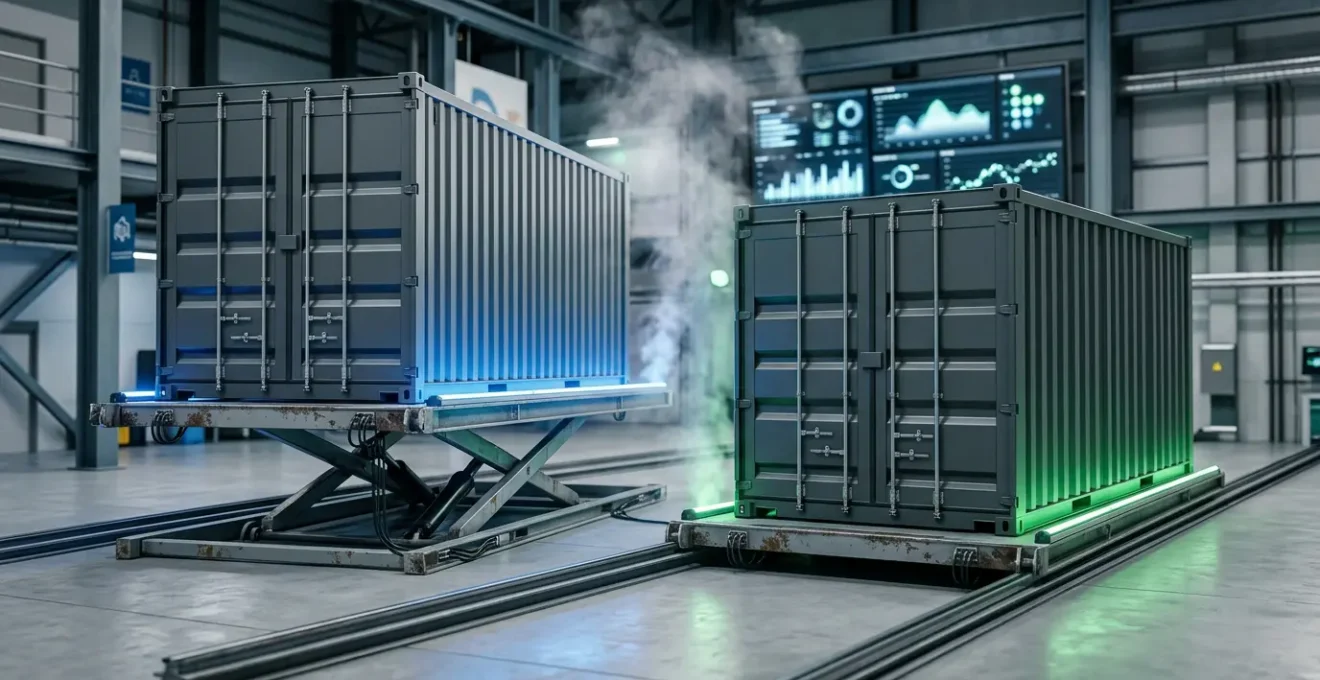
Blue/green deployment is a powerful strategy for achieving zero-downtime updates. The concept is simple yet elegant: at any given time, you have two identical production environments, dubbed « Blue » and « Green. » Only one of them, say Blue, is live and serving production traffic. To deploy a new version of your application, you deploy it to the idle environment, Green. You can then run a full suite of integration tests, smoke tests, and health checks against the Green environment, completely isolated from live user traffic.
Once you are confident that the new version is stable, the magic happens. You switch the router or load balancer to redirect all incoming traffic from the Blue environment to the Green one. This switch is nearly instantaneous. The Green environment becomes the new live production, and the Blue environment goes idle. This process ensures that no connections are dropped, and users experience a seamless transition. In fact, AWS documentation confirms that blue-green deployment downtime is usually under one minute, often just a few seconds.
The beauty of this strategy lies in its inherent safety. If something goes wrong with the new version after the switch, rolling back is just as simple and fast: you just flip the router back to the Blue environment, which is still running the last known-good version of the application. This makes rollbacks a low-stress, predictable operation. For example, a production messaging service handling over 100,000 daily requests successfully implemented this strategy, maintaining a 0.00% error rate during the switch and seeing a negligible response time increase from 145ms to 147ms. The only trade-off is a temporary increase in resource consumption, as you must run two full production environments concurrently during the deployment window.
Blue/green deployment transforms updates from a high-risk surgical operation into a low-risk, atomic swap. It provides the confidence to deploy frequently and the safety net to recover instantly if anything fails.
Multi-Stage Builds: Cutting Docker Image Size by 70%
A common mistake in containerization is creating bloated, overweight images that carry the entire build environment into production. A typical Dockerfile for a compiled language might start with a large base image containing compilers, SDKs, and build tools, compile the application, and then… stop. The resulting image contains not only the final application binary but also all the intermediate build artifacts and dependencies, creating a massive attack surface and wasting registry space.

Multi-stage builds elegantly solve this problem. This feature allows you to use multiple `FROM` statements in a single Dockerfile, where each `FROM` begins a new, temporary build stage. You can use a full-featured « builder » stage to compile your code, run tests, and gather dependencies. Then, in a final stage, you can start from a minimal base image (like `scratch` or a distroless image) and use the `COPY –from` instruction to copy *only* the compiled application binary and its essential runtime dependencies from the previous stage.
The result is a production image that is dramatically smaller—often seeing reductions of 70-90%—and far more secure. It contains only what is strictly necessary to run the application, nothing more. All the compilers, build tools, and development libraries are discarded along with the intermediate build stages. This practice of « shifting left » by minimizing the production artifact has a profound financial and security impact. As a key benefit, it makes vulnerability management far more efficient; Docker’s 2024 research estimates that addressing vulnerabilities during the inner loop is up to 100 times cheaper than fixing them in production. A smaller image means fewer things to scan, patch, and worry about.
Mastering multi-stage builds is a fundamental skill for any container lifecycle manager. It’s a powerful technique for creating lean, secure, and production-ready images that are faster to pull and have a minimal attack surface.
Why Manual Container Management Fails Beyond 10 Microservices?
In the early days of a project, managing a handful of containers with `docker-compose` or a few shell scripts can feel straightforward and efficient. This manual approach provides a sense of direct control. However, this feeling is a dangerous illusion that shatters as an application scales. As the architecture evolves into a distributed system of microservices, the cognitive load of manual management quickly becomes unsustainable. What happens when you go from 5 services to 15, then to 50? The complexity grows exponentially.
Manually orchestrating deployments, ensuring service discovery, handling container failures, managing persistent storage, and scaling services up and down becomes a frantic and error-prone juggling act. A single failed container requires manual intervention. A deployment requires carefully sequenced commands across multiple hosts. This approach doesn’t scale; it implodes. It leads directly to brittle systems, inconsistent environments, and exhausted engineers. The moment you have more services than you can comfortably hold in your head at once, manual management has failed.
This is precisely the problem that container orchestration platforms like Kubernetes were built to solve. They automate the complex, repetitive tasks of deploying, managing, and scaling containerized applications. They handle health checks, auto-restarts, service discovery, and rolling updates automatically. The industry has overwhelmingly recognized this necessity. In fact, industry data shows that production use of Kubernetes rose to 66% among enterprises, a clear indicator that at a certain scale, orchestration is not optional. As one analysis confirms:
Kubernetes is now the fastest-growing open-source project after Linux, with a user base of ~5.6 million developers and an estimated 92% share of the container orchestration market.
– Edge Delta Analysis, State of Docker and the Container Industry in 2025
Moving from manual scripts to an orchestrator like Kubernetes is a critical rite of passage for any growing application. It’s the transition from managing individual containers to managing a resilient, self-healing system.
Containers vs Serverless: Which Is Better for Long-Running Tasks?
The choice between containers (e.g., running on ECS/Fargate or Kubernetes) and serverless functions (e.g., AWS Lambda) is not a matter of one being technologically superior, but of matching the right tool to the right workload. This is especially true for long-running tasks. While both can execute code, their underlying architecture and cost models are optimized for very different use cases.
Serverless platforms like AWS Lambda are designed for short-lived, event-driven computations. Their primary value is abstracting away the server entirely; you pay only for the execution time you use, down to the millisecond. However, this model has its limits. AWS Lambda, for instance, has a maximum execution timeout of 15 minutes. This hard limit makes it fundamentally unsuitable for tasks that require extended, uninterrupted processing, such as video transcoding, complex data analysis, or batch processing jobs that could run for hours.
Containers, in contrast, are built for persistence. A container can run indefinitely, making it the natural choice for any process that needs to exceed the short lifespan of a serverless function. Whether it’s a web server handling persistent connections, a database, or a long-running background worker processing a queue, containers provide the stable, always-on environment required. The cost model reflects this: you typically pay a fixed hourly rate for the underlying compute resources (whether a virtual machine or a Fargate instance), regardless of whether the container is actively processing or idle. While this can seem more expensive for sporadic workloads, it becomes far more cost-effective for tasks with high, continuous utilization.
In short, for any task that is predictable, continuous, or requires execution times beyond a few minutes, containers are the superior and more reliable choice. Serverless shines for reactive, bursty workloads, but long-running processes belong in the stable, persistent world of containers.
Key takeaways
- Immutability is King: Always use unique, immutable tags (like Git SHAs or semantic versions) for your Docker images. The `:latest` tag is a recipe for non-deterministic failures.
- Security is a Pipeline, Not a Person: Automate vulnerability scanning directly into your CI/CD process and configure it to fail builds on critical issues. A secure image is a prerequisite for a secure deployment.
- Orchestration is Inevitable: Manual container management is a scalability trap. Adopt an orchestrator like Kubernetes before the cognitive load of managing microservices becomes overwhelming.
Mastering Kubernetes Clusters: How to Ensure High Availability in Production?
Adopting Kubernetes is a major step towards resilient infrastructure, but simply running a cluster does not automatically guarantee high availability (HA). True HA in Kubernetes is not a feature you turn on; it’s an emergent property of a well-architected system that extends from the infrastructure layer all the way up to the application’s deployment pipeline. It requires a conscious effort to eliminate single points of failure at every level.
At the infrastructure level, this means running a multi-node control plane and distributing worker nodes across multiple physical racks or availability zones. This ensures the cluster itself can survive the failure of individual components. However, this is just the foundation. The real work of HA happens at the application layer, using Kubernetes primitives to build resilience. This involves using Deployments with multiple replicas, defining liveness and readiness probes to allow Kubernetes to automatically detect and restart failed containers, and using Services to provide a stable endpoint for a set of replicated pods.
Furthermore, all the principles of a disciplined container lifecycle are prerequisites for HA in Kubernetes. A rolling update in Kubernetes can still cause an outage if the new container image being deployed is broken. This is why a robust CI/CD pipeline that includes versioned tags, vulnerability scanning, and automated testing is not just a « nice-to-have » but a core component of an HA strategy. The failure to integrate security and quality checks early in the process has tangible business consequences. A stark Red Hat’s 2024 survey reveals that 67% of organizations report deployment delays due to security concerns. Even worse, the same research found that for 46% of companies, these security incidents led to direct revenue or customer loss.
Mastering Kubernetes for high availability means embracing this holistic view. It’s about combining a resilient infrastructure with robust application architecture and a disciplined, automated deployment pipeline that ensures every update is safe, predictable, and contributes to—rather than detracts from—the overall stability of the system.
Start today by auditing your Dockerfiles, automating your vulnerability scans, and planning your migration from manual scripts to a true orchestration platform. By embracing this lifecycle discipline, you can transform container updates from a source of anxiety into a competitive advantage.