The key to accelerating AI workloads isn’t buying the most expensive GPU, but systematically diagnosing where your performance is truly lost—in code, I/O, or deployment strategy.
- Hardware choice is task-dependent: high-VRAM GPUs for training, and efficient, quantized hardware for inference are not interchangeable.
- Performance is often limited by data pipelines (I/O) starving the GPU, not a lack of raw compute power.
Recommendation: Before upgrading hardware, use profilers to identify your specific system-level bottleneck and invest in solving that problem first.
For data scientists and MLOps engineers, the lag is a familiar frustration. You have a powerful model, a complex algorithm, but training crawls and inference is sluggish. The default response is often to look at GPU spec sheets, assuming more teraflops or a larger VRAM budget is the silver bullet. While raw power is a factor, this hardware-first approach often leads to expensive, inefficient, and disappointing outcomes. Many teams invest in top-tier GPUs only to find their performance gains are marginal, because the real problem was never a lack of compute power.
The common advice to “optimize your code” or “get a better GPU” is too generic to be actionable. This thinking ignores the intricate dance between software and silicon. An AI task is not a monolithic compute problem; it’s a system-level pipeline involving data loading, pre-processing, GPU execution, and network latency. The bottleneck could be anywhere in that chain. A state-of-the-art GPU can spend most of its time idle, starved for data by a slow storage system or an inefficient data loader running on the CPU.
The true key to unlocking performance lies in shifting perspective. Instead of just chasing specifications, the goal is to become a systems integrator, diagnosing the entire workflow to find the specific constraint that is throttling your performance. Is it the precision of your model during inference? Is it the way you load data during training? Or is it your deployment strategy for a generative AI application? By asking these questions, you move from blind hardware acquisition to targeted, strategic optimization.
This article provides a framework for that diagnostic process. We will dissect the distinct hardware needs for different AI tasks, explore how to use tools to find hidden bottlenecks, and analyze the trade-offs between different hardware and deployment models. It’s a guide to making informed decisions that bridge the gap between your code and the silicon it runs on.
The following sections break down the critical decision points for aligning your hardware with your specific AI workload, moving from low-level optimizations to high-level strategic choices.
Summary: A Diagnostic Guide to Aligning AI Workloads with Hardware
- Why FP16 Precision Is Sufficient for Most Inference Tasks?
- How to Use Profilers to Identify AI Code Bottlenecks?
- Training vs Inference: Do You Need the Same Hardware for Both?
- The I/O Bottleneck That Starves Your GPU During Training
- TensorRT Implementation: Accelerating Inference by 40%
- RTX 4090 vs A100: Which Is Valid for Enterprise Workloads?
- How to Write Prompts That Deliver Consistent Business Output?
- Generative AI Systems: How to Integrate LLMs into Enterprise Workflows Safely?
Why FP16 Precision Is Sufficient for Most Inference Tasks?
In the quest for performance, one of the most impactful yet often overlooked optimizations is numerical precision. While model training requires the stability of 32-bit floating-point (FP32) arithmetic to accurately accumulate small gradients, inference—the process of running a trained model—has far more lenient requirements. For most applications, switching to 16-bit precision (FP16) or even 8-bit integers (INT8) offers a dramatic performance boost with negligible impact on accuracy.
The reason lies in the hardware itself. Modern GPUs, particularly those with Tensor Cores, are specifically designed to accelerate lower-precision matrix operations. By using FP16, you can fit twice the data into the same amount of VRAM and registers, and the hardware can process these operations significantly faster. TensorFlow’s own production testing confirms this, demonstrating that a move to half-precision inference can deliver up to a 2X speedup in on-device performance. This isn’t a theoretical gain; it’s a direct result of designing hardware to exploit this trade-off.
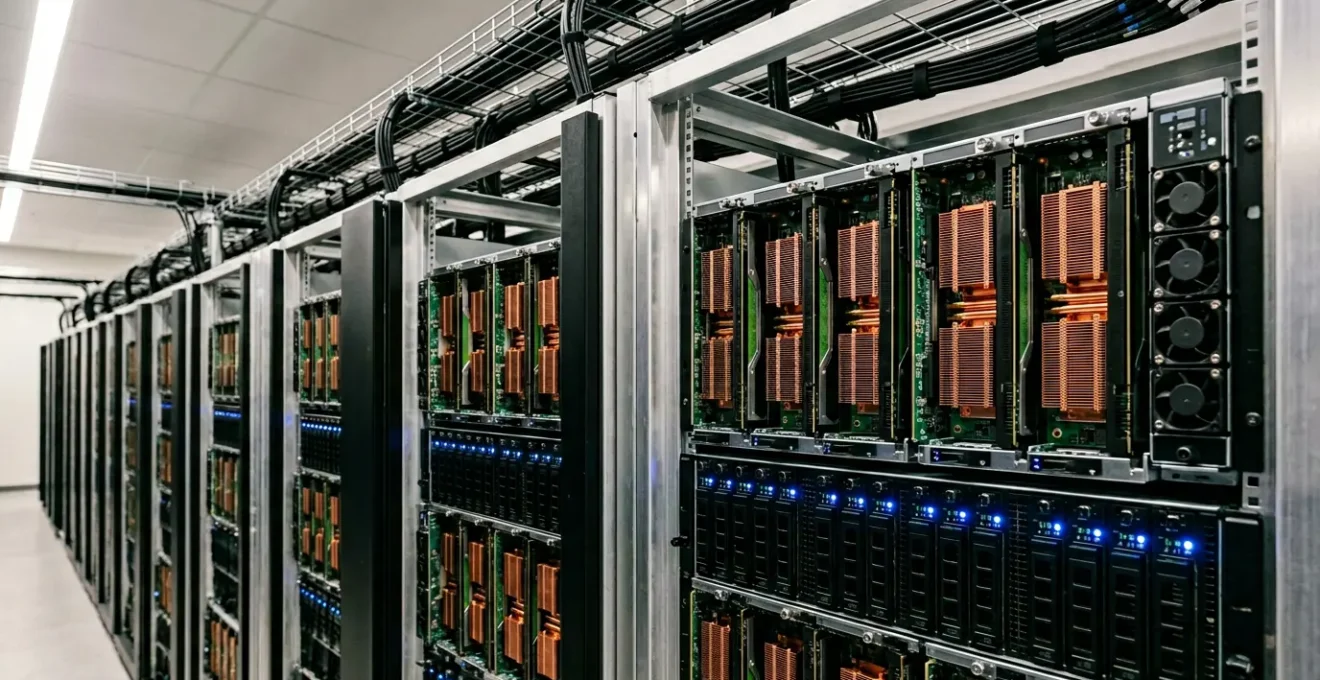
As the image above illustrates, the physical architecture of a GPU is a landscape of specialized compute units. These units are engineered to handle different data types with varying efficiency. Moving further down the precision ladder to INT8 can yield even greater gains, and comprehensive benchmarks show that this often comes at a minimal cost. Studies reveal that INT8 quantization can maintain accuracy levels within 1-2% of its FP16 counterpart across a wide range of models. For business applications where a 1% accuracy dip is imperceptible to the end-user but a 50% latency reduction is a game-changer, the choice is clear.
Therefore, before investing in more powerful hardware to speed up inference, the first step should always be to evaluate a move to lower precision. It’s a software-level change that directly unlocks latent hardware potential, reducing both latency and operational cost without requiring a single new component.
How to Use Profilers to Identify AI Code Bottlenecks?
Simply assuming your GPU is the bottleneck is a common and costly mistake. The only way to know for certain where your system is losing time is to measure it. This is the role of a profiler, a diagnostic tool that provides a detailed timeline of every operation occurring across the CPU and GPU. For AI workloads, tools like NVIDIA Nsight Systems are indispensable for moving beyond guesswork to data-driven optimization.
A profiler visualizes the entire execution pipeline, revealing periods of inactivity or contention. For instance, a common pattern seen in profiling reports is high CPU utilization followed by a period of GPU idle time. This is a tell-tale sign of a CPU-bound data pipeline. The GPU, despite its power, is simply waiting for the CPU to finish loading, augmenting, and transferring the next batch of data. Without this visibility, a team might wrongly conclude they need a faster GPU, when the real solution is to optimize the data loading code or upgrade CPU/storage.
However, profiling is not without its costs. The very act of instrumentation can affect performance. In fact, some research shows that NVIDIA Nsight Systems profiling can incur a 2×–10× slowdown on the application. This overhead is a necessary trade-off for gaining deep insight and should be used during development and optimization cycles, not in a live production environment. The goal is to use the profiler to form a specific, testable hypothesis about the bottleneck.
Your Action Plan: The Nsight Profiling Workflow
- Baseline Capture: Run the initial profiling command `nsys profile –trace=cuda,nvtx,osrt -o [output_file] python [training_script.py]` to get a complete system snapshot.
- Visual Analysis: Open the generated report in the Nsight Systems GUI and look for significant periods of GPU idle time that correlate with high CPU activity on the timeline.
- Code Annotation: Add `torch.cuda.nvtx.range_push()` annotations to your Python code around key functions (e.g., data loading, forward pass) to map the visual timeline directly to your code blocks.
- Identify the Pattern: Analyze the new report. If the “data_loading” NVTX range is long and the subsequent “forward_pass” range is delayed, you have a data input bottleneck.
- Hypothesize and Validate: Form a clear hypothesis (e.g., “Image augmentation on the CPU is too slow”). Implement a fix (e.g., move augmentation to the GPU), re-profile, and confirm the bottleneck is reduced or eliminated.
Training vs Inference: Do You Need the Same Hardware for Both?
One of the most fundamental distinctions in AI hardware selection is the vast difference between training and inference workloads. Treating them as the same problem and using the same hardware for both is a recipe for inefficiency and excessive cost. The optimal hardware for each task is dictated by completely different priorities, from computational demand to latency tolerance.
Model training is a brute-force, offline process. It involves repeatedly passing large batches of data through a network and performing backpropagation to adjust weights. This demands the absolute maximum in parallel processing power, interconnect speed (like NVLink), and, most critically, VRAM capacity to hold the model, gradients, and optimizer states. The sheer scale can be immense; for example, reports suggest that enterprise-scale training illustrated by OpenAI’s GPT-4 may have involved a cluster of 25,000 NVIDIA A100 GPUs running for over three months. For this task, high-end, interconnected datacenter GPUs are non-negotiable.
Inference, on the other hand, is a real-time, latency-sensitive operation. It processes a single input (or a small batch) at a time and must return a result in milliseconds. The computational demand per request is far lower, but the number of concurrent requests can be massive. Here, the priorities shift to low-latency processing, power efficiency, and cost-effectiveness at scale. This opens the door to a much wider array of hardware, including lower-cost GPUs, specialized inference accelerators, CPUs, and edge devices.
This divergence means that a GPU optimized for training, like an A100, might be overkill and financially inefficient for a scaled-out inference deployment. Conversely, an inference-optimized GPU like a NVIDIA T4 would be completely inadequate for training a large model. Understanding this split is the first step toward building a cost-effective and performant AI infrastructure.
| Dimension | Training | Inference |
|---|---|---|
| Hardware Priority | High-performance GPUs/TPUs with maximum VRAM and NVLink interconnect | Diverse hardware—servers, edge devices, CPUs depending on latency requirements |
| Computational Demand | Extremely intensive: backpropagation, large batches, high memory requirements | Lower per-request demand, but scales with request volume |
| Latency Tolerance | Hours to weeks acceptable—offline, scheduled process | Milliseconds to seconds—real-time or near real-time response required |
| Cost Structure | High upfront capital expense, periodic retraining costs | Lower per-instance cost, but cumulative cost grows with user base and scale |
| Precision Requirements | FP32/BF16 for stability during gradient updates | Quantized formats (INT8, FP8, FP16) acceptable with minimal accuracy loss |
| Availability Needs | Can tolerate downtime—batch-oriented workflow | Requires 24/7 uptime, redundancy, and reliability for production service |
The I/O Bottleneck That Starves Your GPU During Training
You have invested in a top-of-the-line GPU, yet your training jobs are still painfully slow. You’ve profiled your code and confirmed the GPU itself is not maxed out. The likely culprit is one of the most insidious and common performance killers in AI: the I/O bottleneck. This occurs when your storage system and data loading pipeline cannot feed data to the GPU fast enough, leaving your expensive accelerator idle and “starved.”
This is not a minor issue. In large-scale training workloads, it is the dominant bottleneck. Groundbreaking studies from Google and Microsoft reveal that GPU idle time can be up to 70%, a direct consequence of waiting for data. The problem originates with the CPU, which is typically responsible for fetching data from storage (like an SSD or network file system), performing pre-processing and augmentation (e.g., decoding JPEGs, resizing images), and then transferring the prepared batch to the GPU’s memory. If any part of this chain is slow, the GPU’s execution pipeline stalls.
The performance impact is staggering. A PyTorch experiment designed to isolate this effect provides a stark example. By implementing a caching strategy that pre-loaded batches directly onto the GPU device, effectively bypassing the input pipeline, a 4X throughput improvement was observed (from 0.86 to 3.45 steps/sec). This experiment quantifies the hidden cost of I/O, proving that the majority of training time in that scenario was spent waiting for data, not on the actual computation. It demonstrates that the slowest component in the system dictates the overall speed.
Solving the I/O bottleneck requires a holistic approach. It involves using high-speed storage like local NVMe SSDs, optimizing data loading code with libraries like `DALI` or using more efficient data formats like TFRecords or Petastorm, and ensuring your CPU is powerful enough to keep pace. The goal is to create a seamless, high-bandwidth highway for data to flow from storage to the GPU, ensuring it is always fed and fully utilized.
TensorRT Implementation: Accelerating Inference by 40%
Once you have a trained model, the next challenge is deploying it for fast and efficient inference. Simply running the model in its native framework (like PyTorch or TensorFlow) often leaves significant performance on the table. This is where specialized inference optimization libraries like NVIDIA TensorRT come into play. TensorRT is a high-performance deep learning inference optimizer and runtime that delivers low latency and high throughput for production applications.
TensorRT acts as a compiler for your trained neural network. It takes a model and performs a series of aggressive optimizations tailored to the specific target GPU it will run on. These optimizations are multi-layered. First, it performs layer and tensor fusion, a process where multiple individual layers in a model graph are merged into a single, custom kernel. This reduces memory transfers and kernel launch overhead, which are major sources of latency.
Second, TensorRT is an expert at precision calibration. It can automatically and intelligently quantize a model from FP32 to FP16 or INT8, selecting the optimal precision for each layer to maximize performance while meeting a specified accuracy constraint. With newer hardware like H100 GPUs, it can leverage even newer formats like FP8. For example, recent benchmarking of Mistral 7B on H100 GPUs revealed a 33% improvement in output tokens per second just from enabling FP8 quantization. This is a hardware-specific optimization that standard frameworks cannot easily access.
Finally, TensorRT performs kernel auto-tuning, searching for the fastest possible implementation of each layer from NVIDIA’s library of highly optimized kernels. The combined effect of these optimizations is profound. For large language models (LLMs), which are notoriously difficult to serve efficiently, the impact is even more significant. According to GMI Cloud’s analysis, teams running optimized configurations on H100 GPUs with TensorRT-LLM typically observe 2-4X throughput improvements over baseline implementations. This is not a marginal gain; it’s a transformative one that can dramatically reduce the hardware footprint and operational cost of a production AI service.
Key Takeaways
- Bottleneck Diagnosis is Paramount: Don’t assume the GPU is the problem. Use profilers to find the real constraint in your system, whether it’s I/O, CPU, or code.
- Hardware is Task-Specific: The best GPU for training (high VRAM, interconnect) is rarely the most cost-effective for inference (efficiency, latency). Choose accordingly.
- Software Optimization Unlocks Hardware Potential: Techniques like lower-precision inference (FP16/INT8) and compilers like TensorRT can provide massive performance gains on existing hardware.
RTX 4090 vs A100: Which Is Valid for Enterprise Workloads?
The debate between using consumer-grade GPUs like the NVIDIA RTX 4090 and enterprise-grade GPUs like the A100 is a critical one for businesses. On the surface, the price-to-performance ratio of the RTX 4090 seems unbeatable. However, for enterprise workloads, the decision extends far beyond raw teraflops. The choice hinges on reliability, support, scalability, and compliance requirements that are often non-negotiable in a business context.
The RTX 4090 is an exceptional tool for prototyping, research, and small-scale development. Its 24GB of VRAM provides a generous sandbox for data scientists to experiment with moderately sized models without the high cost of an enterprise card. However, it is fundamentally a consumer product. It lacks features critical for 24/7 production environments, such as ECC (Error-Correcting Code) memory, guaranteed driver stability, and enterprise support contracts. An uncorrected bit-flip in memory due to cosmic rays might be an annoyance for a gamer, but for a financial or medical application, it can be a catastrophic data integrity failure.
The NVIDIA A100 (and its successor, the H100) is built for the enterprise. Its full-chip ECC memory is essential for regulated industries like finance (FINRA) and healthcare (HIPAA). Its high-speed NVLink interconnect is mandatory for large-scale distributed training, where the PCIe bus of multiple RTX cards becomes a crippling bottleneck. Furthermore, features like Multi-Instance GPU (MIG) allow an A100 to be securely partitioned into smaller, isolated GPU instances, enabling guaranteed quality-of-service for multiple tenants—a feature completely absent on consumer cards. Even last-generation hardware can provide a strong value proposition, as last-generation GPUs demonstrate that a card with 24GB VRAM at 50% of the price can deliver 80% of the performance for certain tasks.
The decision matrix is use-case dependent:
- AI Startup Prototyping: RTX 4090 is the cost-effective choice for initial model development.
- 24/7 Production Inference: An A100 or an inference-specific card like the L40S is required for stability and support.
- Large-Scale Distributed Training: A100/H100 with NVLink is the only viable option for models exceeding a single GPU’s memory.
- Regulated/Sensitive Data: The A100’s ECC memory and security features are non-negotiable for compliance.
Choosing the right tool for the job means looking past the spec sheet and understanding the operational and compliance realities of your business.
How to Write Prompts That Deliver Consistent Business Output?
In the era of generative AI, the performance of your system is no longer just a function of hardware and model architecture; it’s also heavily influenced by software in the form of prompt engineering. The way you structure your prompts has a direct, quantifiable impact on both the quality of the output and the underlying hardware requirements needed to generate it.
A poorly designed prompt that is vague or lacks context forces the model to guess, often resulting in inconsistent or incorrect outputs that require multiple retries. This isn’t just a quality issue; it’s a resource consumption issue. Every retry is another full inference pass on the GPU. Industry analysis indicates that poorly designed prompts requiring multiple retries can result in 2-3X the GPU usage per useful business task. This “hidden” cost of bad prompts can quickly negate any hardware optimizations you’ve made, driving up operational expenses.
Furthermore, advanced prompting techniques like Retrieval-Augmented Generation (RAG), which involve feeding the model large amounts of context from a knowledge base, directly link prompt complexity to hardware specs. A simple prompt might fit within a 4k token context window, but a RAG-based prompt could easily expand to 32k tokens or more. This has a massive impact on VRAM consumption.
Case Study: Prompt Complexity and VRAM Requirements
An analysis of VRAM usage across different context windows demonstrated that running RAG applications with a 32k context window creates a significant memory demand. Practical tests showed that GPUs with only 8GB of VRAM were unable to handle these extended context prompts, failing with out-of-memory errors. This establishes a hard hardware threshold directly tied to a software strategy, proving that the ambition of your prompt engineering directly dictates the minimum viable GPU specification.
Therefore, matching hardware to the task now includes matching it to the prompting strategy. If your application relies on large contexts, you must provision GPUs with sufficient VRAM (e.g., 24GB or 48GB+). Investing in prompt engineering—creating clear, structured, and context-rich prompts—is not just a software best practice; it is a hardware optimization strategy that reduces retries, lowers VRAM pressure, and ultimately decreases the total cost of inference.
Generative AI Systems: How to Integrate LLMs into Enterprise Workflows Safely?
Integrating Large Language Models (LLMs) into enterprise workflows presents a final, critical decision point: deployment strategy. The choice between using a third-party cloud API (like OpenAI’s) versus hosting models on an on-premise or private cloud GPU cluster has profound implications for cost, performance, and, most importantly, data security and privacy.
Cloud APIs offer an unbeatable advantage in terms of initial investment. There is zero capital expenditure on hardware; you simply pay per token. This is ideal for getting started, prototyping, and for applications with unpredictable or low-volume traffic. However, this operational expenditure model can become prohibitively expensive at scale, and it comes with a major caveat: your data is being sent to a third-party’s servers. For organizations in regulated industries like healthcare (HIPAA) or finance (GDPR, FINRA), this can be an immediate compliance non-starter.
An on-premise GPU cluster provides the ultimate control. Data never leaves the organizational boundary, ensuring maximum privacy and security. It also gives you full-stack control over the entire inference process. You can choose the exact precision (FP16/FP8), select the serving engine (like vLLM or TensorRT-LLM), and fine-tune batching and caching strategies to achieve predictable, low-latency performance for your specific workload. This level of optimization is impossible with the black-box nature of a public API. The trade-off is a high upfront capital investment in hardware and the operational overhead of MLOps staff to manage the cluster. This is all happening within a rapidly growing market, with reports from Jon Peddie Research projecting the AI processor market to grow to $494 billion in 2026.
| Factor | Cloud API (e.g., OpenAI) | On-Premise GPU Cluster |
|---|---|---|
| Data Privacy | Data transmitted to third-party servers—compliance risk for regulated industries | Data remains within organizational boundary—full control for HIPAA, FINRA, GDPR compliance |
| Initial Investment | Zero capex—pay-per-token pricing ($10-75/M output tokens for premium models) | High capex—GPU hardware purchase, data center infrastructure, cooling, power delivery |
| Operational Cost | Unbounded opex scaling linearly with usage—cost unpredictability at scale | Fixed opex—power, cooling, MLOps staffing—amortized across workloads |
| Latency Control | Variable network latency, no P99 SLA guarantees on shared endpoints | Predictable low-latency on local infrastructure—optimizable for specific workloads |
| Customization | Limited to API parameters—no control over model architecture, precision, or serving engine | Full stack control—precision mode (FP16/FP8), serving engine selection, batch size tuning |
| Hardware Optimization | Vendor-managed black box—no visibility into hardware allocation or optimization | Direct hardware optimization—TensorRT-LLM, vLLM, KV-cache strategies, NVLink configuration |
The ultimate decision is a strategic one, balancing short-term ease of use against long-term cost, performance, and security. For any enterprise handling sensitive data or operating at a significant scale, building an internal capability on dedicated hardware often becomes the only viable path to a secure and cost-effective AI strategy. Start by profiling your current or projected workloads to build a data-driven business case for the right deployment model.